

How Can Phoenix Healthcare Practices Switch Managed IT Providers Safely?
A five-step guide to changing managed IT providers while protecting patient information, maintaining clinical operations, and clarifying cybersecurity responsibilities.
A Phoenix healthcare practice can use five steps to switch managed IT providers with less risk: inventory its IT environment, protect electronic protected health information (ePHI), coordinate the provider handoff, plan changes around patient care, and verify security after onboarding. COEUS’s fully managed IT pricing is $150–$250 per billable user per month, or $3,750–$6,250 monthly for 25 billable users. Migration costs and timelines depend on system complexity, vendor cooperation, documentation, and the agreed scope. No transition can guarantee zero downtime or automatic HIPAA compliance.
For a medical practice with 11–50 employees, changing IT providers is more than a technical project. Electronic health records (EHRs), patient scheduling, billing, secure communications, and other systems must remain available as reliably as possible while responsibilities move between vendors.
A poorly planned handoff can create operational interruptions, unclear administrative ownership, and security gaps. Staying with a provider that cannot meet the practice’s needs can also carry risks.
The goal is to build a documented, carefully sequenced transition that protects patient information and minimizes avoidable disruption.
COEUS provides managed and co-managed IT services alongside healthcare IT and security services in Arizona. The services included in a particular transition must be defined in the proposal.
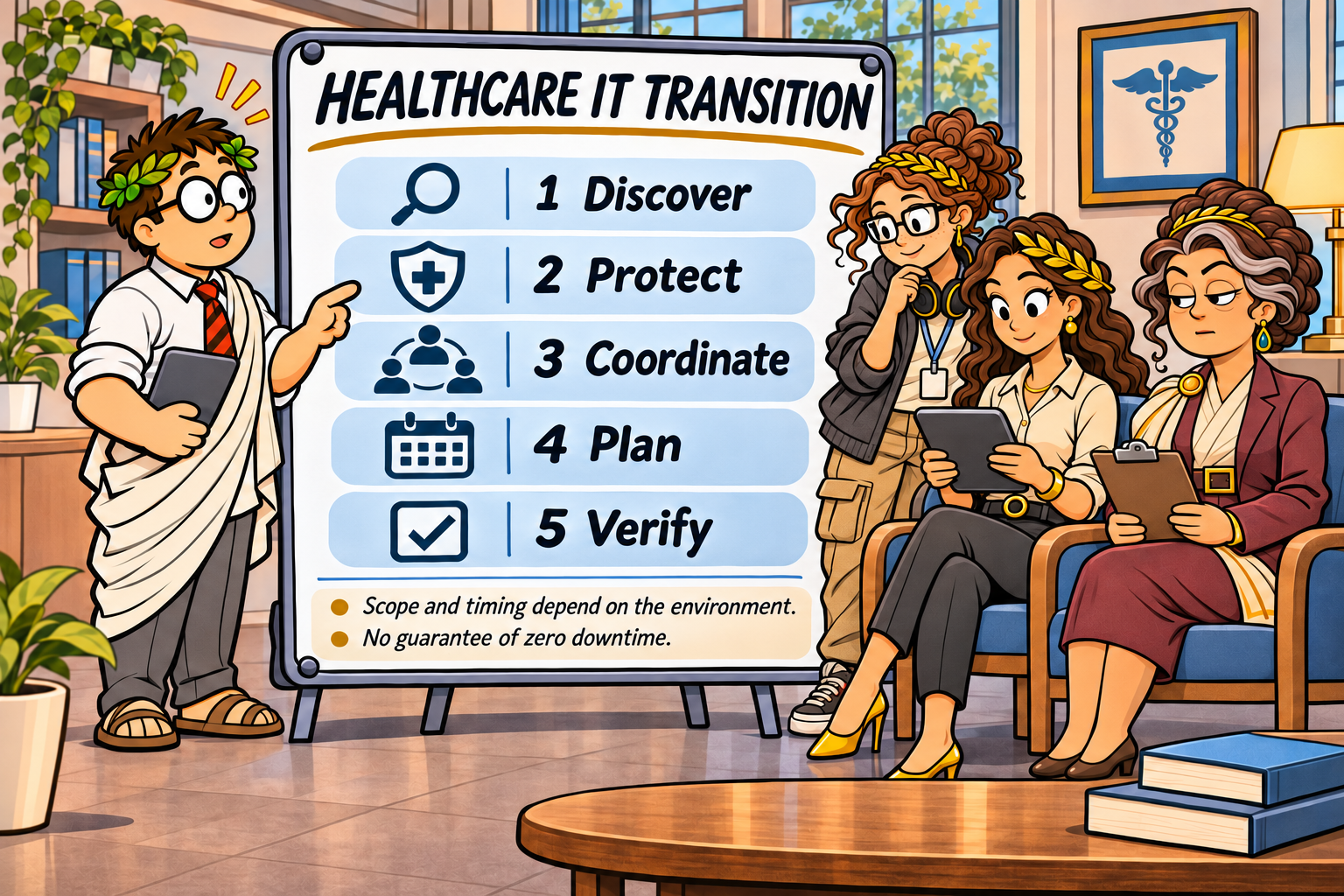
1. How Should a Healthcare Practice Assess Its Current IT Environment?
Before changing providers, identify the systems, accounts, vendors, and security controls that support daily operations.
A 25-employee practice might rely on a cloud-hosted EHR, Microsoft 365, approximately 30 endpoints, internet connectivity, network equipment, backup services, and several third-party applications.
Use this five-part discovery framework.
A. Inventory Systems and Devices
Document servers, workstations, laptops, network equipment, cloud applications, EHR platforms, and other relevant systems.
Identify which systems are critical to patient care and which store, process, or provide access to ePHI.
B. Establish Account and Asset Ownership
Confirm the practice’s authorized control of domain registrations, administrative accounts, cloud subscriptions, licensing, and other critical assets.
Document where access is held by the outgoing provider and what will need to change.
C. Identify Technology Vendors
List EHR vendors, billing partners, internet service providers, cloud vendors, telecommunications providers, and other organizations involved in the practice’s technology operations.
D. Review Security and Recovery Arrangements
Identify the current endpoint protection, multifactor authentication, monitoring, backup, disaster recovery, and incident response arrangements.
Verify who operates each service and how it will be maintained during the transition.
E. Collect Existing Documentation
Request available network diagrams, inventories, contracts, configuration records, policies, and risk assessment documentation.
Missing documentation may increase discovery effort and affect the transition schedule.
Key takeaway: The transition scope should reflect the actual environment—not employee count alone. Incomplete inventories and unclear account ownership can create avoidable delays.
2. How Can the Practice Protect ePHI and Maintain HIPAA Security Responsibilities?
Changing IT providers does not eliminate the healthcare organization’s obligations under HIPAA.
The HIPAA Security Rule requires covered entities and business associates to implement applicable safeguards for ePHI. The practice should understand how those responsibilities will be maintained during and after the transition.
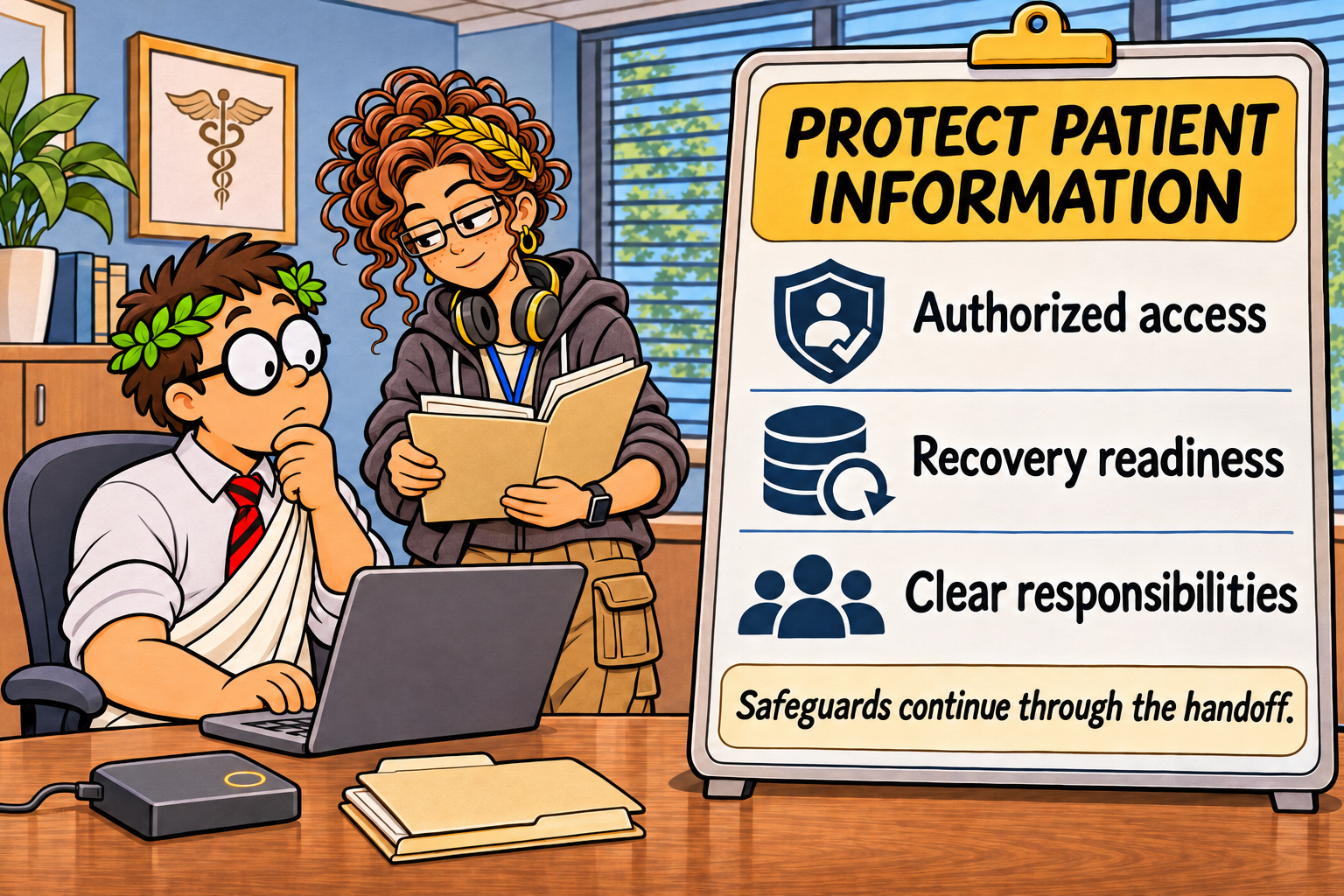
Four areas deserve particular attention.
A. Business Associate Agreements
Determine whether each IT provider is acting as a business associate under HIPAA.
When required, ensure an appropriate business associate agreement (BAA) is in place before the incoming provider performs activities involving ePHI.
A BAA is not a substitute for actual security safeguards.
B. Administrative Access
Document privileged accounts and determine when the incoming provider needs access.
Establish a controlled process for transferring administrative responsibilities and removing outgoing-provider access when it is no longer authorized or needed.
C. Backup and Recovery Readiness
Identify backup systems, retention arrangements, recovery procedures, and the parties responsible for them.
Where appropriate, validate recovery capabilities before performing changes that could affect critical systems.
The existence of backup software alone does not establish that a practice can restore its operations.
D. Risk Analysis and Security Documentation
Review existing risk assessment findings, relevant policies, vendor responsibilities, and security documentation.
Evaluate whether the transition changes systems, access arrangements, or other conditions in ways that warrant updating the practice’s risk analysis.
The U.S. Department of Health and Human Services’ HIPAA risk analysis guidance explains the importance of identifying and evaluating risks to ePHI.
Key takeaway: A successful IT handoff should maintain clear responsibility for safeguarding patient information before, during, and after the provider change.
3. How Should the Outgoing and Incoming MSPs Coordinate the Handoff?
A managed IT transition involves more than changing the help desk phone number.
The practice should have a written handoff plan identifying what will transfer, who is responsible, and how critical services will be protected.
| Handoff area | What the practice should confirm |
|---|---|
| Administrative accounts | Authorized access and ownership are documented |
| Domain and DNS | Registrar access and essential records are understood |
| Email and collaboration | Accounts, licensing, configurations, and continuity needs are identified |
| EHR and clinical applications | Vendor contacts, dependencies, and support procedures are documented |
| Endpoint security | Protection and monitoring responsibilities remain clear |
| Backup and recovery | Ownership, access, retention, and recovery procedures are verified |
| Contracts and licensing | Notice periods, termination obligations, and service overlap are reviewed |
Define a Transition Responsibility Matrix
A simple responsibility matrix can identify who owns each task.
| Activity | Practice leadership | Outgoing MSP | Incoming MSP |
|---|---|---|---|
| Approve transition scope | Accountable | Consulted | Consulted |
| Provide existing documentation | Coordinate | Provide as contractually required | Review |
| Establish incoming access | Authorize | Coordinate as applicable | Implement as authorized |
| Validate critical systems | Confirm workflows | Assist as agreed | Test as agreed |
| Remove obsolete access | Authorize | Relinquish access | Verify as agreed |
This is an illustrative responsibility model, not a description of every COEUS engagement.
Where practical and contractually permitted, a controlled overlap between providers can reduce the risk of service gaps.
The amount of overlap, its cost, and the activities involved depend on the environment and agreements.
Questions to ask the incoming MSP:
- Who coordinates communication with our outgoing provider?
- What information must be available before onboarding begins?
- How will missing credentials or documentation be handled?
- Which activities could interrupt clinical systems?
- When will outgoing administrative access be removed?
- What happens if a critical service becomes unavailable?
A written statement of work should identify the included activities, assumptions, dependencies, exclusions, and any separately priced migration services.
4. How Can a Practice Minimize Disruption to Patient Care?
Medical practices should plan IT changes around clinical operations rather than treat onboarding as a routine office technology upgrade.
The objective is to minimize preventable interruptions and prepare for problems that cannot be eliminated entirely.
Use this five-step clinical continuity framework.
Step 1: Identify Critical Clinical Workflows
List the systems needed for patient registration, EHR access, clinical documentation, prescribing, scheduling, billing, and communications.
Determine which services are most sensitive to interruption.
Step 2: Select Appropriate Change Windows
Schedule higher-risk changes during lower-impact periods where feasible.
Some changes may require planned downtime. The practice should understand the expected impact and establish appropriate contingency procedures.
Step 3: Communicate With Staff
Explain what will change, when changes are expected, and whom employees should contact if they encounter problems.
Clinical and administrative personnel may have different support needs.
Step 4: Test Essential Functions
After relevant changes, verify access to EHR systems, email, network services, printing, communications, and other critical workflows.
Testing should reflect the practice’s actual systems and agreed transition scope.
Step 5: Establish an Escalation Plan
Identify the contacts and decision-makers responsible for responding to unexpected interruptions.
Document how urgent issues will be reported, prioritized, and escalated.
Why timing varies: A single-location practice with well-documented cloud systems may present a different transition challenge than an organization with multiple offices, legacy servers, specialized clinical applications, or incomplete vendor documentation.
COEUS does not use a universal onboarding duration for every healthcare practice. The expected schedule should be developed after reviewing the environment and agreed scope.
Key takeaway: The goal is a controlled transition with clear contingency plans—not an unsupported promise of zero downtime.
5. What Should the Practice Verify After the New MSP Takes Over?
The transition is not complete simply because employees can log in and the help desk is answering calls.
Practice leadership should confirm that the new provider has established the agreed services and that security responsibilities remain clear.
Use this five-point post-onboarding checklist.
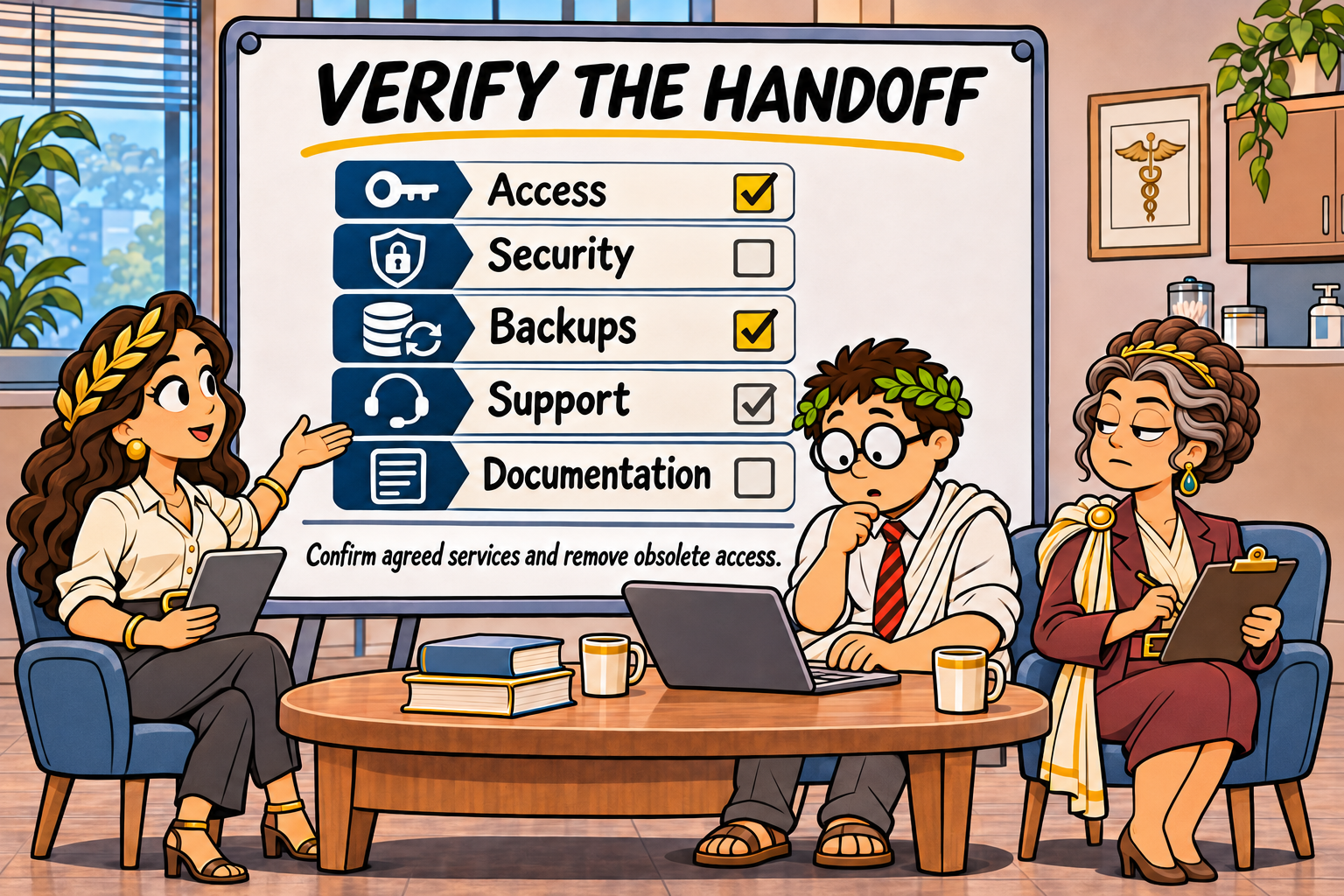
1. Verify Authorized Access
Confirm that appropriate employees and administrators can access necessary systems.
Review whether outgoing-provider accounts and permissions have been removed or appropriately restricted.
2. Confirm Security Services
Verify the status of contracted endpoint protection, security monitoring, multifactor authentication support, and other agreed safeguards.
3. Review Backup and Recovery Responsibilities
Confirm who manages backups, how recovery issues are escalated, and what validation has been completed.
4. Confirm Support Procedures
Ensure employees understand how to request assistance, report security concerns, and escalate urgent clinical technology problems.
5. Update Documentation
Review inventories, vendor contacts, administrative ownership, relevant security records, and operational procedures.
Where the transition has introduced material changes, consider whether risk documentation and security procedures require updates.
A post-onboarding review provides an opportunity to identify unresolved tasks and establish accountability for ongoing improvements.
Illustrative Example: A 25-Employee Phoenix Medical Practice
The following is a hypothetical educational scenario. It is not a documented COEUS client engagement and does not report actual transition results.
Consider a Phoenix-area practice with:
- 25 employees at one location
- One cloud-hosted EHR platform
- Approximately 30 workstations and laptops
- Microsoft 365 for email and collaboration
- A third-party billing service
- An outgoing MSP whose contract is approaching renewal
Practice leadership wants more consistent IT support and clearer cybersecurity responsibilities.
A proposed transition could begin with system discovery, account ownership verification, vendor coordination, and a review of backup and security arrangements.
The incoming provider and practice leadership would then develop a handoff plan, identify potentially disruptive changes, establish clinical contingency procedures, and verify critical services after onboarding.
Illustrative outcome: A documented transition plan, defined responsibilities, and post-onboarding validation checkpoints.
This example does not claim that a real COEUS client experienced zero downtime, achieved a particular savings amount, or obtained a specific compliance result.
How Much Does It Cost to Switch Managed IT Providers?
The cost of changing MSPs depends on the complexity of the existing environment, the work required, vendor coordination, contractual obligations, and the agreed onboarding scope.
COEUS’s published managed IT pricing provides a starting point for evaluating recurring service costs.
| Service model | Indicative price per billable user/month | Illustrative monthly cost for 25 billable users |
|---|---|---|
| Fully Managed IT | $150–$250 | $3,750–$6,250 |
| Co-Managed IT | $105–$205 | $2,625–$5,125 |
These calculations assume 25 billable users. Employee count and billable user count may differ.
COEUS offers co-managed IT arrangements to organizations with or without internal IT personnel, depending on the agreed division of responsibilities and service scope.
Important pricing distinctions:
- The table describes recurring managed IT pricing, not a fixed migration or onboarding fee.
- Transition projects, remediation implementation, and compliance advisory services may require separately defined scopes and pricing.
- The final managed IT proposal depends on security requirements, service coverage, user counts, and the organization’s environment.
- COEUS’s separate HIPAA risk assessment pricing and estimated delivery timeline should not be mistaken for the price or duration of an MSP transition.
Review the written proposal to understand what is included before comparing providers.
Why Consider COEUS for a Healthcare IT Transition?
Coeus Consulting is a Phoenix-based managed IT services provider and managed security services provider serving small and mid-sized organizations.
COEUS provides managed and co-managed IT services, healthcare IT and security services, and compliance advisory services.
Its advisory capabilities span frameworks and requirements including HIPAA, NIST CSF, NIST SP 800-171, CMMC, FTC Safeguards, SOC 2, ISO 27001, and CIS Controls.
This cross-framework perspective can help organizations connect everyday IT operations with documented security responsibilities and longer-term improvement planning.
The precise services, assessment activities, transition responsibilities, and deliverables should be defined in each engagement.
Frequently Asked Questions
How long does it take to switch managed IT providers for a medical practice?
There is no universal transition timeline. The duration depends on the number of systems and locations, documentation quality, vendor cooperation, contract requirements, and the agreed onboarding activities. Ask for a scoped plan with assumptions and dependencies.
Can we switch IT providers without interrupting patient care?
A documented transition plan can reduce avoidable disruptions, but no provider can guarantee uninterrupted service. Identify critical workflows, schedule changes carefully, establish contingency procedures, and validate systems after changes.
Does switching MSPs require a new HIPAA risk assessment?
A provider change does not automatically mean every practice must commission an entirely new assessment. However, changes to systems, access, vendors, and security responsibilities may warrant reviewing and updating the organization’s risk analysis.
Do we need a new business associate agreement?
If the incoming IT provider is acting as a business associate under HIPAA, an appropriate BAA is required. The practice should evaluate the provider’s role and establish the necessary agreement before applicable services begin.
What if the outgoing MSP will not cooperate?
Review existing contracts, document the practice’s authorized ownership of systems and accounts, and identify lawful transition options. Contractual disputes or access issues may require qualified legal assistance.
Can COEUS provide co-managed IT without an internal IT department?
Yes. COEUS offers co-managed IT arrangements with or without internal IT staff, depending on the agreed service scope and allocation of responsibilities.
Are onboarding and migration fees included in the monthly managed IT price?
Not necessarily. The written proposal should specify which onboarding activities are included and which transition, remediation, or compliance services are separately priced.
Request a Healthcare IT Transition Consultation
If your Phoenix-area healthcare practice has 11–50 employees and is considering a change in managed IT providers, COEUS can help evaluate the environment and define an appropriate transition scope.
Bring these details to your initial consultation:
- Your employee count, locations, and critical applications.
- Your current MSP agreement and anticipated contract end date.
- Your most important support, cybersecurity, and operational concerns.
COEUS can use that information to discuss system dependencies, onboarding requirements, service options, expected deliverables, and proposal assumptions.
Do not submit patient records, passwords, or ePHI through an initial consultation form.
Schedule a 30-minute COEUS consultation to discuss your practice’s IT transition and request a scoped proposal.
Managed IT pricing and transition schedules depend on the agreed scope. No transition or service by itself guarantees uninterrupted operations or HIPAA compliance.
About Coeus Consulting
Coeus Consulting is a Phoenix-based managed IT services provider and MSSP serving small and mid-sized businesses across managed IT, cybersecurity, cloud, and compliance. We help organizations make practical technology decisions that improve resilience without losing sight of business reality.
About the Author
Enrique Ruiz III
Director of Marketing, Coeus Consulting
Enrique Ruiz III is a marketing strategist and business leader with over 13 years of experience in brand development, digital marketing, and business growth, including more than a decade in leadership roles. As Director of Marketing at Coeus Consulting, he focuses on bridging the gap between complex technology solutions and the real-world challenges facing business owners. With a background in the IT services industry, Enrique brings a strategic perspective to cybersecurity, emerging technologies, and digital transformation. He believes the most effective marketing combines creativity, strategy, and education to help businesses make informed decisions and build a stronger future.
Sources referenced in this article:
- HHS — Guidance on Risk Analysis
- HHS — Business Associates
- HHS — Security Rule
- Coeus Consulting — Managed and Co-Managed IT Services
- Coeus Consulting — Healthcare IT and Security Services
COEUS’s $150–$250 fully managed and $105–$205 co-managed monthly per-user ranges are service pricing references, not regulatory figures or guaranteed quotes. Migration, onboarding, remediation, and compliance work depend on the agreed engagement scope.